
For schools
Built for the athletic office
Everything your office touches lives in one dashboard that runs in a browser. Here's what's in it, what a game night asks of your staff, and what you can hand to a booster club.
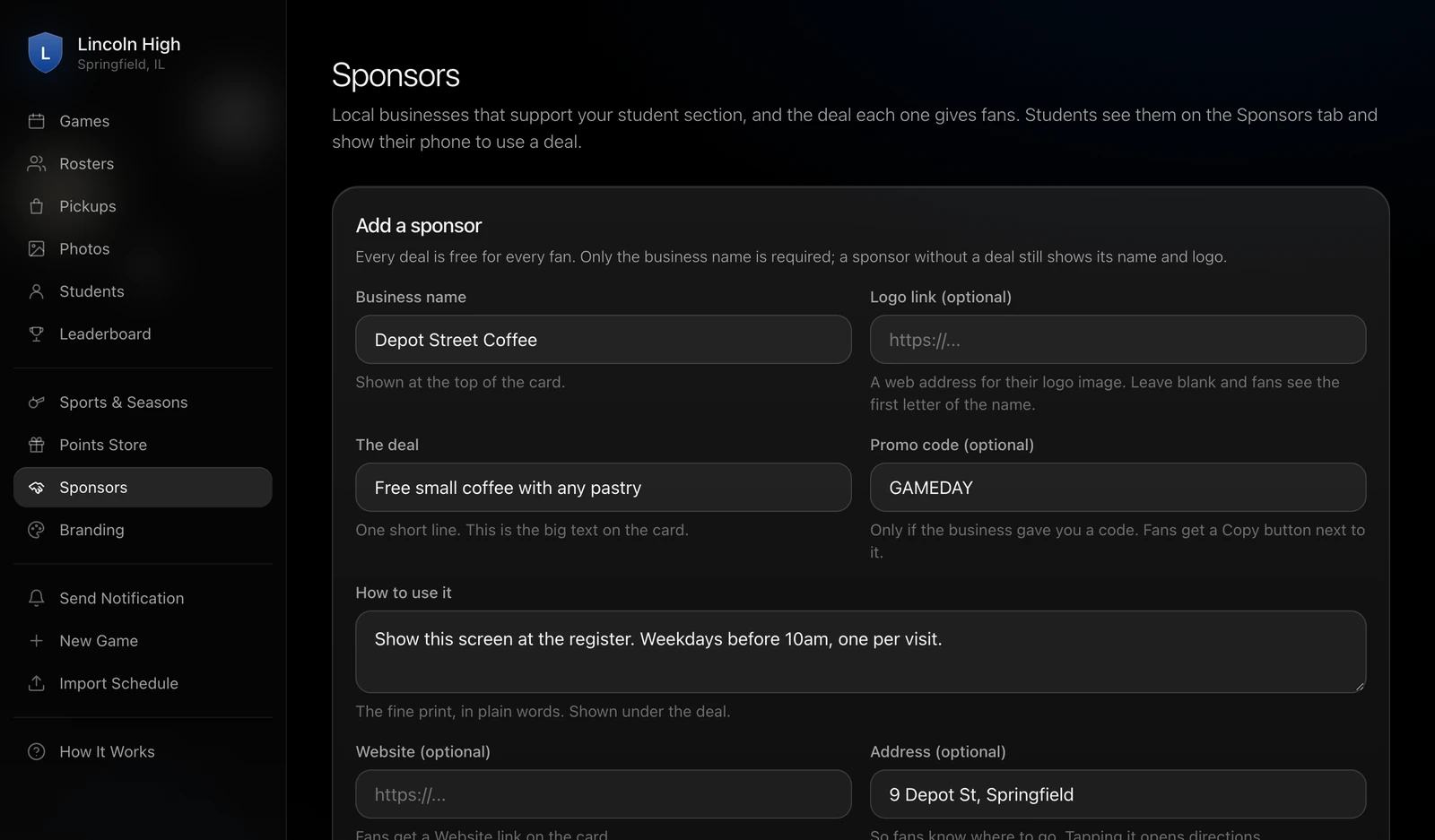
The dashboard, on the Sponsors page, adding a local coffee shop's deal.
What's in the dashboard
Each page does one job, and the help page inside the dashboard explains every one of them in the same plain words you'll find here.
Games
Create a game with a sport, an opponent, a date and time, and a venue. Five calls are added automatically and you can write your own. Mark Homecoming or Senior Night as boosted and everything that night is worth double.
Import schedule
Upload a CSV or connect a calendar feed, and every row is checked before anything is added. Import a season at a time if you like, and nothing already there gets deleted.
Gate signs
Each game's page prints a QR code sign for the entrance. Check-in uses the code unless you choose location instead.
Rosters
Pick a sport and add players with their name, number, position, grade and an optional headshot. Students see the roster on each sport's page, and seniors are highlighted in your school's color.
Points Store and Pickups
Add items with a name, description, point cost, quantity and photo. When a student redeems one, the order shows up under Pickups with the code they'll bring to the office.
Photos
Students who are checked in can post photos to a game's feed. They show up here for you to review, and you can hide any photo.
Students and leaderboard
A list of every student account, name change requests for you to approve, and the season leaderboard as students see it.
Sponsors
Local businesses that support your student section, each with a deal, a promo code if there's one, and the fine print in plain words.
Branding
Choose a primary and a secondary color. Buttons, icons, accents, senior highlights and boosted games all switch to your colors, and there's a preview before you save.
Send notification
Send a message to every student at once, or start from a template.
Sports and seasons
Set up each sport and its season so games and rosters land in the right place, with one active season at a time.
What a game night asks of your office
Less than a ticket table does. Nobody on your staff needs to be on the app while the game is on.
Create the game and print the sign
Pick the sport, opponent, date and venue. Print the QR sign from the game's page and tape it where students come in. If the game is already on an imported schedule, the sign is the only step.
Watch the game
Calls lock on their own at the scheduled start time, and check-ins log themselves with a timestamp. The game page shows how many fans are checked in while it's happening.
Enter five results and mark it final
Open the game, mark each call right or wrong, and mark the game final. Points are awarded to every student who checked in, and the leaderboard updates.
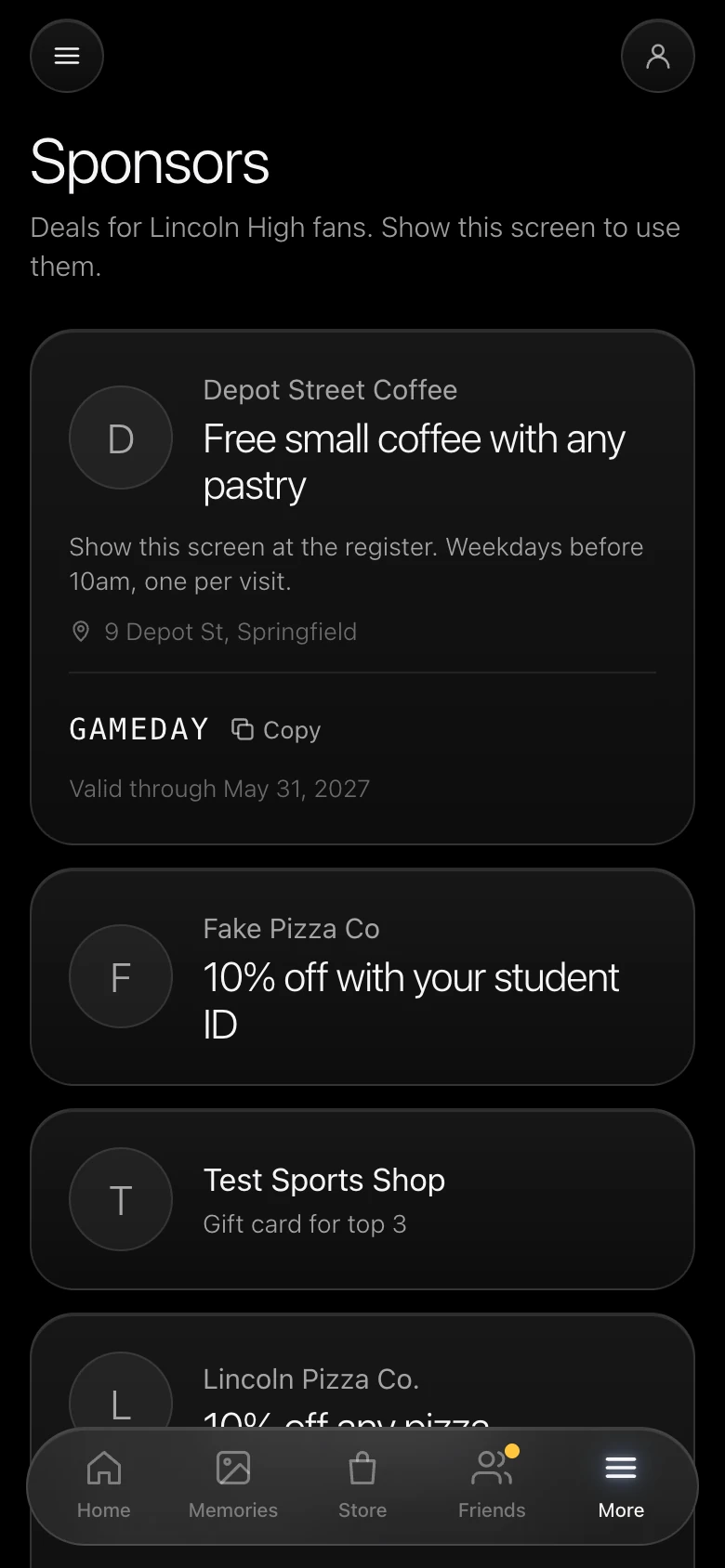
A place for the booster club's sponsors
Local businesses get a card on the Sponsors tab with their logo, their deal, and how to use it. A student shows the screen at the register. Every deal is free for every fan, and a sponsor without a deal still shows its name and logo.
Sponsors fund the rewards, so the school doesn't have to. Adding one takes a business name and a line for the deal, and the rest is optional.
Gameday Memories, with a review queue
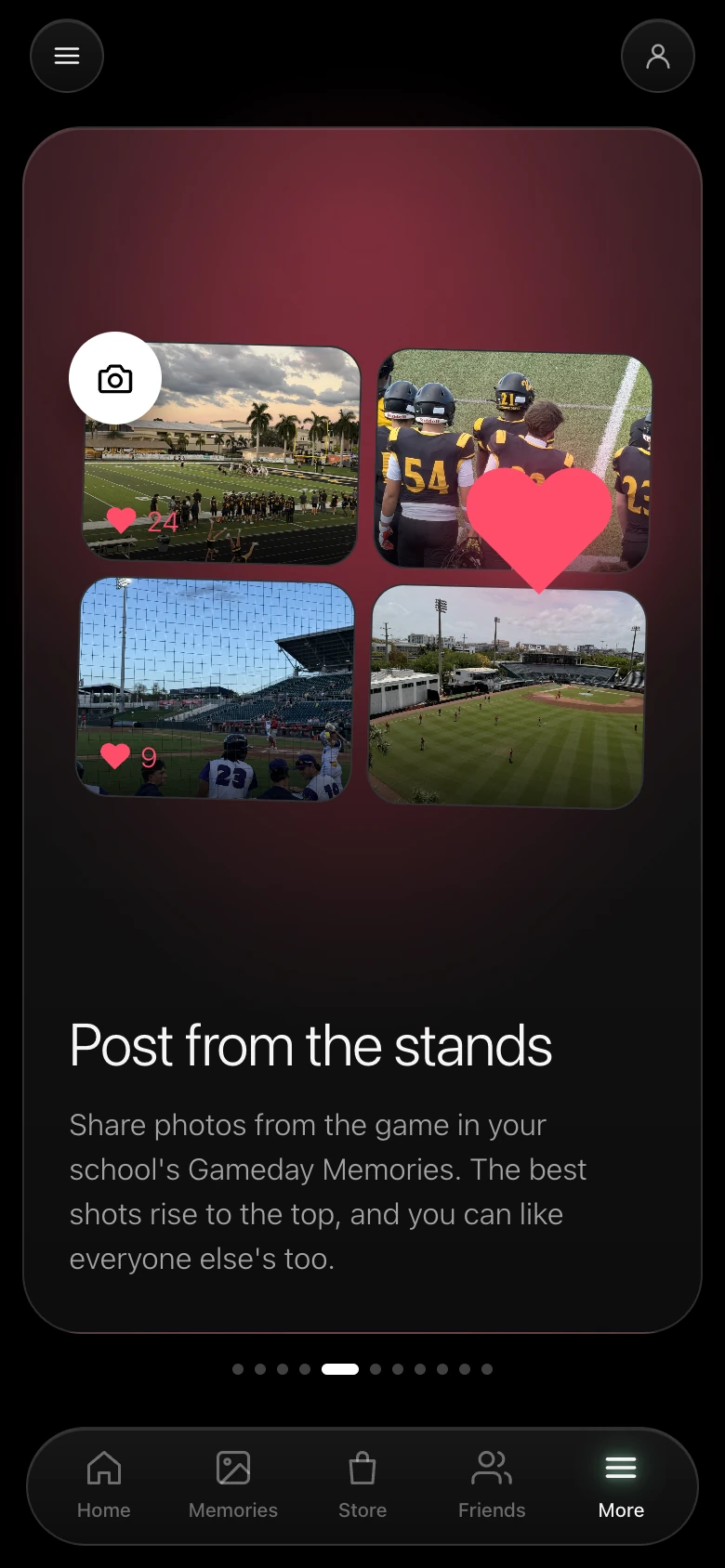
Students who've checked in can post photos from the stands to that game's feed. The best-liked shots rise to the top and everyone can like them. Every photo is tied to a real student account with a school email, so you can always see who posted what, and hiding one takes a click in the dashboard.
There are no text posts, no comments and no messages, which keeps the feed about the game.
Walk through the dashboard with us
A demo covers the student app and the office side, using your sports and your venues. Pricing is $100 a month for the whole school, with no setup fee.